Based on proposal given in class on March 5
PROJECT TWO
Redesign an existing website, focusing on beautifying, simplifying and if necessary, reorganizing the work, but keeping the original name, intent and content.
I. STEP 1: PHOTOSHOP:
- Use Photoshop or Illustrator to create Logo with both a simple graphic and type treatment
- Use Photoshop to recreate a digital “sketch” of the site based on the Dreamweaver layout that you are using
- Use Photoshop to create backgrounds for buttons, animated gifs (in class, next week) and
- Create one design for the home page due Tuesday March 9, 2015
II. STEP 2: DREAMWEAVER:
- Recreate your sketch using a Dreamweaver layout and modifying existing div tags and CSS to suit your design
- Include a spry bar for navigation
- Include a roll over image or animated banner (in class, next week)spry bar for navigation
- Set-up for folder: root folder is called ‘redesign’
III. PROJECT and CLASS SCHEDULE:
Tuesday March 10:
Complete Photoshop Sketch due, please make to size (use div tag measurements from Dreamweaver)
Post Sketch to your Assignments page in your WordPress Blog
In-class learn roll-over and animation in Photoshop. (Rollovers in Dreamweaver video)
Homework: create a roll-over or animation for Thursday
Thursday March 11:
Short quiz!!!!! See this page for study guide
Lab day, create your prototype layout in Dreamweaver
Create a typed list of your links AHEAD OF TIME.
Homework: duplicate your pages and make sure all are linked
Tuesday March 17:
Continue pages, add content.
In-class learn new gallery/slideshow technique http://lokeshdhakar.com/projects/lightbox2/
Homework: continue adding content and images for gallery or slideshow
Thursday March 19:
First round due/critique
Upload sites in progress to server (‘redesign’ folder)
MUST have all pages set up, all links working.
Tuesday March 24:
Lab Day work in class
Thursday March 26:
Complete project due!!!
Portfolio discussion before break
CONSIDERATIONS:
- MUST SET UP DREAMWEAVER to DESKTOP folder EACH TIME YOU WORK IN THE LAB.
On your own computer, only needs to be done once. - Use copy from the site (copy and paste text)
- Create your link/page names AHEAD of time
- Use “Save as” to recreate your interior pages
- Site may have from 4- 6 pages including home page (index.html)
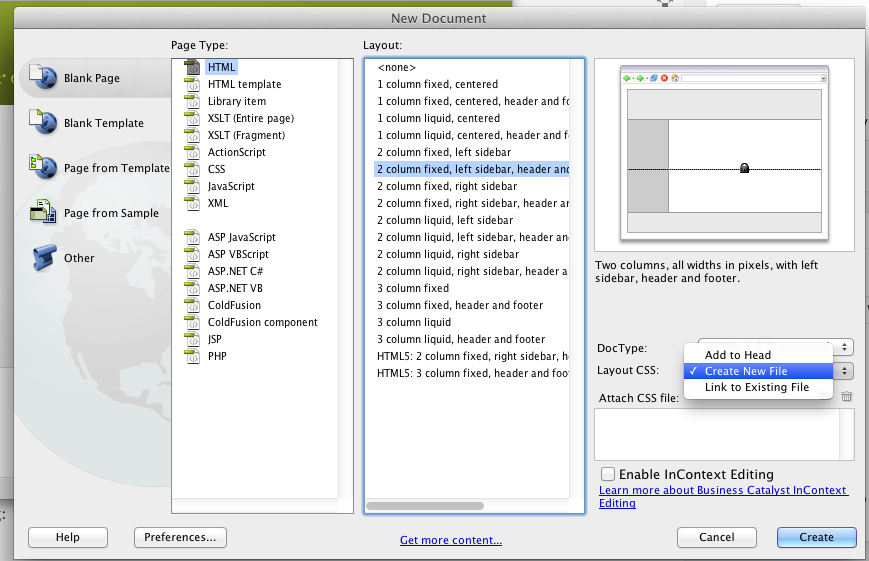
- Use external style sheets only. (See screenshot below)
- Check code before you wonder why something isn’t working.
 Teaching Website Design
You must be logged in to post a comment.