Week Four: What’s coming next week? More CSS!!!
- Learning what those ‘divs’ are (header, footer, container)
- Making buttons
- Using Google fonts!!!!
- Finishing up websites
Week Three
- Beginning Dreamweaver
- Beginning CSS
- Learn how to FTP (File Transfer Protocol)
- Wireframe Author Site Project
- Setting up Dreamweaver project/sites
- using Photoshop to design a webpage
- using Dreamweaver, develop first page (as prototype of page)
Week Two
- Set up a project / sites (building your house)
- More (X)HTML using CodeAcadamy’s free online tutorials.
- Plan a multi-page site (wireframes and IA)
- CSS (decorating your house). In this class, we will adopt the best practice of creating an external style sheet to streamline our production
Week One
 View Slideshow: How Websites work?
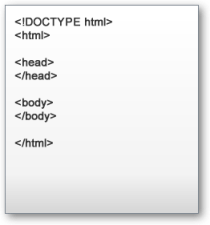
- Learn The Anatomy of a Webpage (and here) and created a simple page using
Text Editor like Wordpad (PC) or TextEdit (Mac) See w3schools.com for a simple references to basic HTML - Set up account and practice writing (X)HTML using CodeAcadamy’s free online tutorials.
- Set up account for a WordPress blog “class site”, your “sketchbook” for this class.
- Learn how to FTP (File Transfer Protocol)
Dos and Don’ts;
- Naming Conventions
- WORK HABITS to ensure a smooth ride
- From the expert: Web Design Dos and Don’ts from Learning Web Design by Jennifer Robbins
Class Specific Resources
Bluehost– Hosting plan recommended for class
WordPress.org, info about WordPress Software
WordPress.com (Your blog information)
See the Resources page for information about HTML and CSS and other important languages for Web Development
What is SEO?
Business Insider’s Ten Tips for SEO
 Teaching Website Design