Dos and Don’ts
Don’t get the Head tag mixed up with the sectional div Header!!
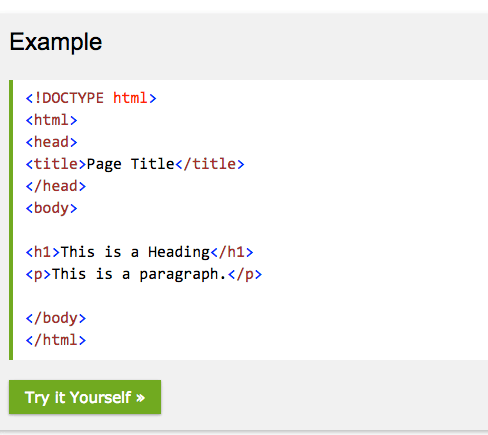
The HEAD tag <head> </head> has to be between the HTML tag <html> </html>and the BODY <body></body>tag.(SEE EXAMPLE 1 )
Always add a TITLE TAG!
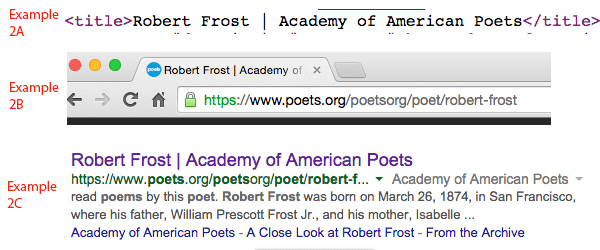
The HEAD tag has a tag called a TITLE tag <title></title> that will display the title of the page in a browser tab or in a search engine. (See w3 schools for information about this.) (EXAMPLE 2 A-C)
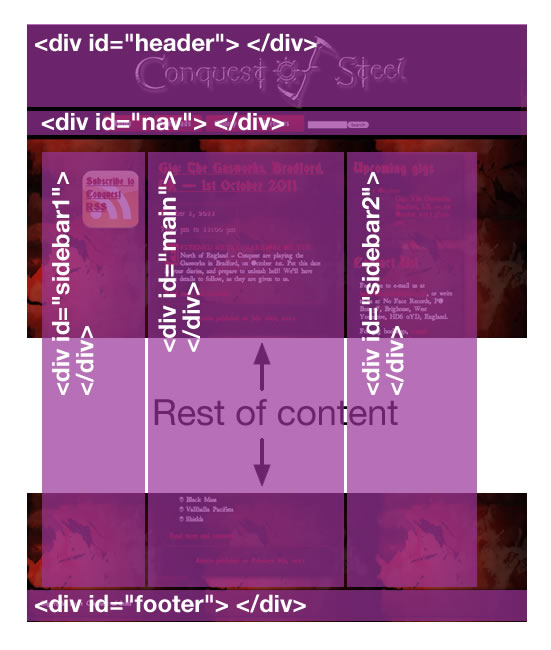
A HEADER is a section of a page, HTML or otherwise. It is where information typically found at the top of a page can be found. In most cases, this includes a banner or logo, (see EXAMPLE 3).
A HEADER is ONE of SEVERAL divs (dividers, sections of the BODY of the site) It is easy to see why it’s easily confused with a HEAD tag. Don’t get the two mixed up, however, it can cause some interesting havoc.
 Teaching Website Design
You must be logged in to post a comment.